Step-by-Step Guide: How to Use a Digital Kitchen Scale for Baking
"Learn how to use a digital kitchen scale for baking, including tare, grams, ounces, weighing flour, liquids, multiple ingredients, and recipe conversions."
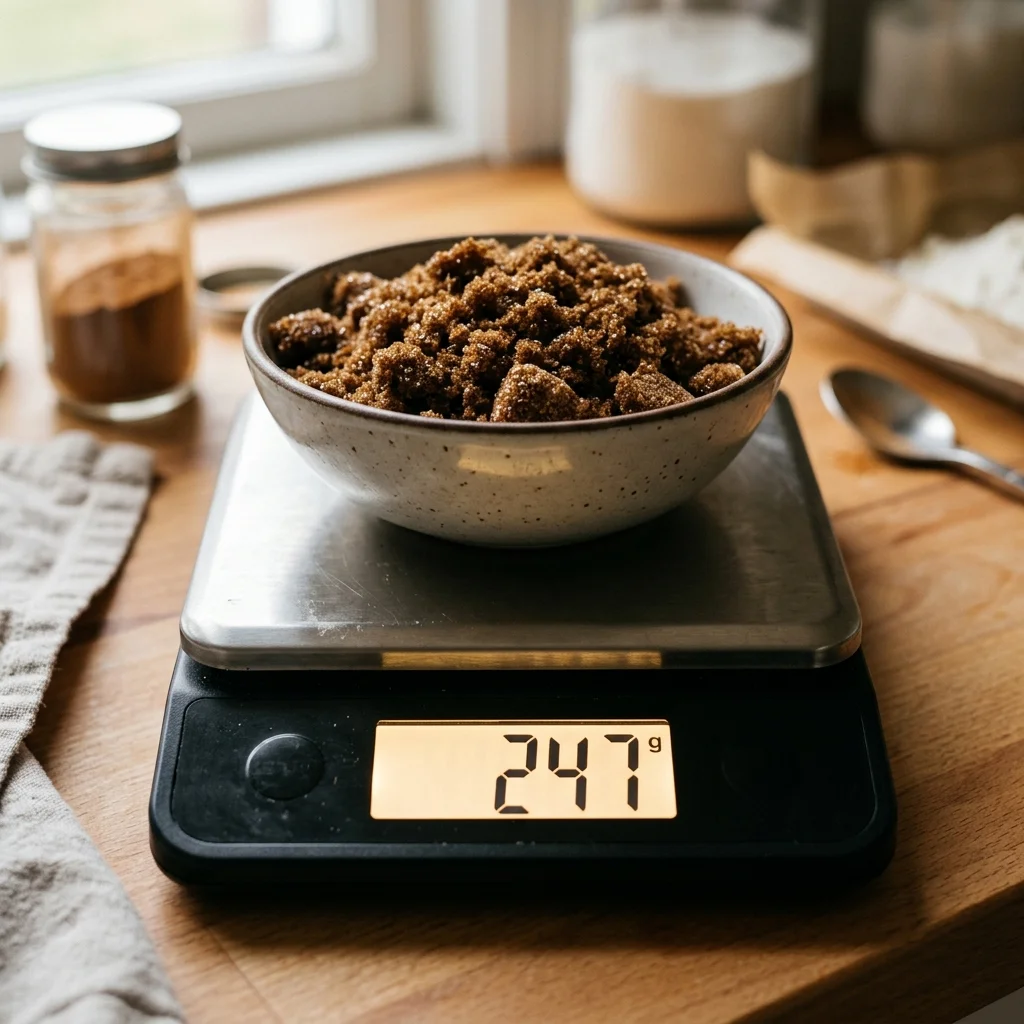
Using a digital kitchen scale is the single fastest way to improve your baking accuracy, consistency, and results.
Instead of estimating three-dimensional volume with cups and spoons (which vary depending on how tightly dry ingredients are packed), a digital scale measures an ingredient's exact physical weight (mass). By mastering the Tare (Zero) function, you can weigh every ingredient for a recipe directly into a single mixing bowl, eliminating measuring cup packing errors and reducing dirty dishes by up to 90%.
Quick Start Scale Workflow
- Place your empty mixing bowl onto the scale platform.
- Press the Tare / Zero button to reset the scale display to
0g. - Spoon or pour your first ingredient into the bowl until reaching the target gram weight.
- Press Tare / Zero again to clear the display back to
0g. - Add your next ingredient directly into the same bowl. Repeat until complete!
Pair your digital scale with our Recipe Scaler, calculate hydration percentages with the Dough Hydration Calculator, or convert butter sticks with the Butter Converter.
What Is a Digital Kitchen Scale?
A digital kitchen scale is an electronic measuring device equipped with strain gauge sensors beneath a flat platform. When an object is placed on the platform, the sensors detect the physical force of gravity acting on the mass and convert that force into an exact digital readout on an LCD screen.
Unlike mechanical spring scales (which can degrade over time), digital kitchen scales offer high precision and instant numerical readouts. Standard home baking scales typically measure up to 5 kilograms (11 lbs) with 1-gram resolution, while specialized micro-scales provide 0.1-gram resolution for measuring small quantities of active dry yeast, baking powder, and salt.
Why Bakers Use Scales
Switching from volume cups to a digital scale transforms your kitchen experience across five distinct areas:
- Unmatched Consistency: 120 grams of all-purpose flour is always 120 grams. Volume cups, by contrast, can contain anywhere from 110g (sifted) to 150g (scooped directly from the bag), creating a 25% variation that ruins cakes and cookies. Read Why Baking by Weight Is Superior to Measuring by Volume.
- 90% Fewer Dirty Dishes: Rather than washing a 1-cup, 1/2-cup, 1/3-cup, and 1/4-cup tool alongside liquid pitchers and spoons, you weigh everything into one bowl.
- Effortless Recipe Scaling: Doubling, tripling, or halving a recipe in grams requires simple mental math (e.g., 250g × 1.5 = 375g), eliminating complex cup fractions like 3/8 cup.
- Seamless International Baking: European, British, and Australian recipes are written almost exclusively in metric grams. Having a scale lets you bake authentic international pastries without converting units.
- Precise Sourdough & Bread Formulas: Artisan bread making relies on exact baker's percentages (hydration levels) that require gram precision for flour and water.
What Do Tare and Zero Mean?
The Tare button (sometimes labeled Zero or Power/Tare) is the most critical feature on a digital kitchen scale. Taring instructs the scale's internal microprocessor to ignore whatever weight is currently sitting on the platform and reset the digital display back to 0.
Example Worked Workflow:
- Place an empty glass mixing bowl weighing 450 grams on the scale. The display reads
450g. - Press the Tare button. The display immediately resets to
0g(even though the 450g bowl is still sitting on the scale). - Spoon all-purpose flour into the bowl until the display reads
300g. You now have exactly 300 grams of flour in the bowl. - Press Tare again. The display resets to
0g. - Add sugar until the display reads
150g. You have added exactly 150 grams of sugar on top of the flour.
How to Use a Digital Kitchen Scale Step by Step
Follow these 11 simple steps for flawless weighing on your digital scale:
- Place Scale on a Hard, Level Surface: Set the scale on a flat, stable kitchen counter. Avoid soft silicone baking mats, tablecloths, or uneven surfaces, which distort strain gauge readings.
- Turn On the Scale: Press the Power button. Wait 2 to 3 seconds for the digital display to initialize and display
0. - Select Your Measurement Unit: Press the Unit button to toggle to grams (
g) for baking. - Position Your Container: Set your mixing bowl, measuring cup, or pan in the center of the scale platform.
- Press Tare / Zero: Wait for the display to show
0g. - Add Your First Ingredient: Spoon or pour ingredient into the container slowly as you approach the target weight.
- Check Target Weight: Stop adding ingredient when the display hits the exact requested gram amount.
- Press Tare / Zero: Clear the screen back to
0g. - Add the Next Ingredient: Repeat the addition process for your secondary dry or wet ingredients.
- Adjust Over-Pours: If you accidentally pour 10 grams too much sugar, use a spoon to scoop out the excess until the display matches your target.
- Turn Off Scale: After finishing your recipe mix, press and hold the Power button to conserve battery life.
How to Weigh Flour
Flour is highly compressible. Scooping flour directly with a measuring cup packs the particles, adding 20 to 30 extra grams per cup. When using a scale, you simply spoon flour into your bowl on the scale until reaching the target weight, no sifting or leveling required!
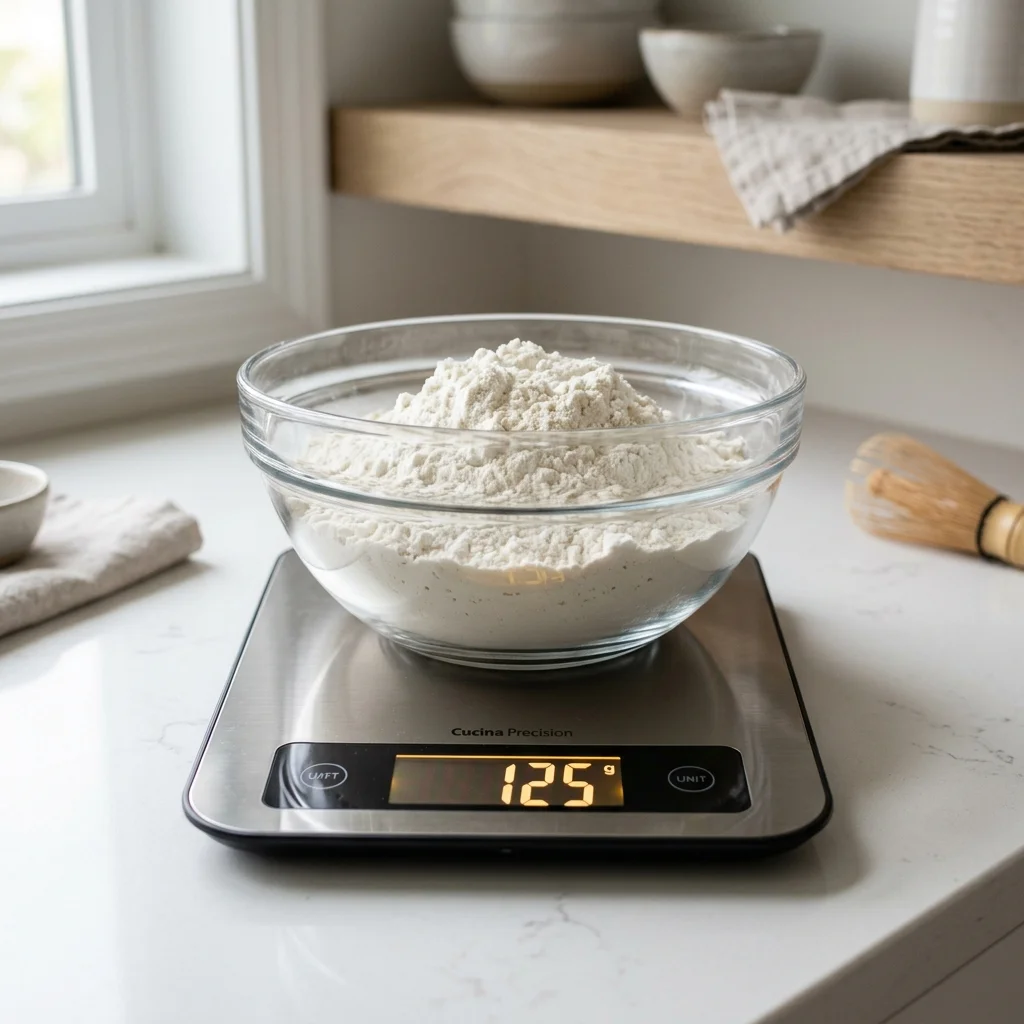
Standard benchmark weight for 1 US Customary Cup of spooned-and-leveled all-purpose flour is 120 grams (King Arthur standard) or 125 grams (USDA standard). For detailed flour handling tips, see How to Measure Flour Correctly.
How to Weigh Sugar
Sugar types vary significantly in density:
- Granulated White Sugar: Dense sucrose crystals weighing 200 grams per cup.
- Firmly Packed Brown Sugar: High-moisture sugar weighing 220 grams per cup. Using a scale eliminates the need to pack brown sugar into measuring cups! Read How to Measure Brown Sugar: Lightly Packed vs Firmly Packed vs Grams.
- Powdered / Confectioners' Sugar: Lightly pulverized sugar weighing 120 grams per cup (unsifted).
How to Weigh Butter
Instead of unwrapping sticks of butter and cutting along greasy wrapper line guides, set your mixing bowl on the scale, press Tare, and slice butter directly into the bowl. Standard US butter benchmarks:
- 1 Stick of Butter (1/2 cup / 8 tbsp): 113.4 grams
- 1 US Cup of Butter (2 sticks / 16 tbsp): 227 grams
For complete butter weight tables, see our Butter Grams to Cups Conversion Guide.
How to Weigh Liquid Ingredients
A major convenience of digital scales is weighing liquids directly into mixing bowls or liquid measuring pitchers:
- Water: Density is exactly 1.0 g/mL (1 cup water = 236.5g).
- Whole Milk: Density is 1.03 g/mL (1 cup milk = 244g).
- Vegetable / Canola Oil: Density is 0.92 g/mL (1 cup oil = 218g).
Simply place your container on the scale, press Tare, and pour your liquid until reaching the target weight in grams.
How to Weigh Sticky Ingredients
Measuring sticky ingredients like honey, molasses, maple syrup, and peanut butter in traditional volume cups is messy and inaccurate because sticky residue clings to the walls. Weighing sticky syrups directly on a scale eliminates waste completely! One cup of pure honey weighs 340 grams. Read more in How to Measure Sticky Liquids Like Honey, Molasses, and Syrup.
How to Weigh Eggs
In high-precision baking or when scaling down recipes (such as making a half-batch), standard egg sizes vary. According to King Arthur Baking, a large egg without shell weighs approximately 50 grams (roughly 30g egg white and 20g egg yolk).
To measure half an egg (25g), crack an egg into a small ramekin sitting on your scale, whisk gently with a fork, press Tare, and pour out exactly 25 grams into your mixing bowl.
How to Weigh Multiple Ingredients in One Bowl
Here is a complete one-bowl workflow example for baking chocolate chip cookies:
| Step | Action | Target Added Weight | Scale Display Readout |
|---|---|---|---|
| 1 | Place empty mixing bowl and press Tare | 0g (Bowl tared out) | 0 g |
| 2 | Slice softened butter into bowl | 113g butter | 113 g |
| 3 | Press Tare, then add brown sugar | 110g brown sugar | 110 g |
| 4 | Press Tare, then add granulated sugar | 100g granulated sugar | 100 g |
| 5 | Press Tare, then spoon all-purpose flour | 240g flour | 240 g |
| 6 | Press Tare, then add chocolate chips | 170g chocolate chips | 170 g |
How to Switch Between Grams and Ounces
Digital scales feature a Unit button that cycles through measurement modes:
- Grams (g): The standard for baking due to metric base-10 simplicity and accuracy.
- Ounces (oz): Avoirdupois weight ounces (mass). 1 oz = 28.35 grams.
- Fluid Ounces (fl oz): Volume mode calibrated specifically for water density. Note: Do not use fluid ounces mode to weigh dry flour!
How to Convert a Cups Recipe to Grams
When converting older volume-based recipes to scale measurements, never assume a single universal conversion factor like 1 cup = 240g. Look up ingredient-specific weights in The Master Cups to Grams Baking Conversion Guide and review common pitfalls in Top 7 Gram-to-Cup Conversion Mistakes Bakers Make (And How to Fix Them).
How to Use a Scale for Bread and Sourdough
In sourdough and artisan bread baking, ingredient ratios are calculated relative to total flour weight (defined as 100%). For example, a 70% hydration sourdough bread formula consists of:
- 500g Bread Flour (100%)
- 350g Water (70% Hydration)
- 100g Active Sourdough Starter (20%)
- 10g Fine Sea Salt (2%)
Weighing every ingredient on a digital scale ensures exact gluten development and fermentation control. For deep dives into baker's math, read Artisan Bread Baking: Understanding Baker's Percentages and Gram Weights and Sourdough Starter & Bread Hydration.
Common Kitchen Scale Mistakes
Avoid these common digital scale errors:
- Forgetting to Tare: Adding an ingredient before taring out the previous weight distorts your total ratios.
- Weighing on an Unstable Surface: Setting a scale on a wobbly cutting board or soft placemat causes floating readouts.
- Exceeding Max Capacity: Placing heavy ceramic mixing bowls plus 3 kg of dough can exceed a 5 kg scale limit, triggering overload warnings.
- Using 1g Scales for Micro Quantities: Standard 1-gram resolution scales can be inaccurate when measuring 2 grams of instant yeast. Use a 0.1g micro-scale for tiny leavening amounts.
- Improper Recipe Scaling: For tips on resizing batches safely, see How to Double or Halve a Baking Recipe Without Ruining It.
Digital Scale Troubleshooting
If your digital scale behaves unexpectedly, consult this troubleshooting quick-fix guide:
| Symptom | Root Cause | Quick Fix Solution |
|---|---|---|
| Display numbers fluctuate endlessly | Drafts from kitchen fans, uneven counter, or vibrant mixer vibrations | Move scale away from fans/vibrating appliances onto a flat counter |
| Displays 'EEEE' or 'O-Ld' | Weight limit exceeded beyond scale maximum capacity (e.g. >5kg) | Remove heavy container and use a lighter mixing bowl |
| Displays 'Lo' or battery icon | Low battery voltage affecting sensor strain gauge calibration | Replace AAA/CR2032 batteries immediately |
| Displays negative weight (e.g. -450g) | Container was removed after being tared to zero | Place container back on platform or press Tare to clear negative reading |
| Scale shuts off mid-recipe | Auto-off power saver timer engaged after 2 minutes of inactivity | Tap platform gently every minute while prepping ingredients |
Frequently Asked Questions
1. How do I use a kitchen scale for baking?
Place an empty bowl on the scale platform, press Tare to reset the screen to 0g, spoon or pour your ingredient to the target weight, press Tare again, and repeat for next ingredients.
2. What does tare mean on a kitchen scale?
Tare zeroes out the weight of the container currently sitting on the scale so you only measure the net weight of the added ingredient.
3. Should I weigh ingredients in grams or ounces?
Grams are superior for baking because metric base-10 measurements offer finer precision and avoid complex fraction calculations.
4. Can I weigh ingredients directly in a mixing bowl?
Yes. Using the Tare function between ingredients allows you to weigh flour, sugar, cocoa, and butter sequentially into a single bowl.
5. How do I weigh flour on a scale?
Place your bowl on the scale, press Tare, and spoon flour directly into the bowl until hitting the exact target weight in grams (e.g. 120g per cup).
6. How do I weigh liquid ingredients on a scale?
Place your mixing bowl or liquid measuring cup on the scale, press Tare, and pour liquid until reaching the required weight in grams.
7. How do I weigh half an egg?
Crack a large egg (~50g without shell) into a ramekin on a scale, whisk gently with a fork, press Tare, and pour out exactly 25 grams.
8. How accurate should a baking scale be?
For general baking, a scale with 1-gram resolution is ideal. For micro quantities like yeast, salt, or spices, a 0.1g precision scale is recommended.
9. Can I convert cups to grams using a kitchen scale?
Yes, by using ingredient-specific gram weights (e.g. 1 cup flour = 120g, 1 cup sugar = 200g) rather than a single universal factor.
10. Is a kitchen scale better than measuring cups?
Yes. Scales eliminate flour volume packing errors, ensure consistent baking results every time, and reduce dirty dishes by 90%.
11. How do I weigh multiple ingredients in one bowl?
Add your first ingredient, press Tare to reset the screen to 0g, add the second ingredient to its target weight, press Tare, and repeat.
12. Can I use a kitchen scale for sourdough bread?
Yes. Sourdough requires precise baker's percentages for flour, water (hydration), starter, and salt that can only be measured accurately on a scale.
Accurate scale measurement is especially critical when handling different sugar densities. See our complete sugar weight conversion guide for precise gram weights of granulated, powdered, and brown sugar.
Interactive Baking Weight Converter
Convert recipe volumes into exact gram weights instantly.
Interactive Baking Weight Converter
Convert recipe volumes into exact gram weights instantly.
Custom package weights override standard database densities for this session without altering official database records.
Need Full Density Reference Tables?
Explore complete g/cup density tables, USDA ratios, and measurement tools.
Related Baking Guides
Top 5 Best Kitchen Digital Scales for Baking Precision in 2026
Compare the best kitchen scales for baking, including accuracy, capacity, tare functions, readability, and features that matter for precise recipes.
Kitchen ToolsLiquid Measuring Cups vs Dry Measuring Cups: Are They Interchangeable?
Learn the difference between dry and liquid measuring cups, how each works, when to use them, and how to measure flour, sugar, milk, oil, and more accurately.
Kitchen ToolsHow to Double or Halve a Baking Recipe Without Ruining It
Learn how to double or halve baking recipes correctly, including eggs, pan size, ingredient weights, baking time, and temperature adjustments.